Sell
Payment links and collections inside the CRM
Send a payment link from a lead, WhatsApp chat or workflow, collect by UPI or card, and see receipts and pending dues beside the customer record.
UPI and cards
Collect through Razorpay payment links and QR
Auto receipts
Receipt created and shared when payment succeeds
Instalments
Schedules with reminders and outstanding ageing
Create link
A payment link in two taps
From any lead, enter amount and purpose, pick the product or quote, and create a link. Share it by WhatsApp, SMS or email without leaving the screen. The link carries the customer's name and lead reference so every payment ties back to the right record.
- From lead, chat or workflow
- Linked to quote or product
- Share on WhatsApp or SMS
UPI and cards
Customers pay the way they prefer
Through your Razorpay account, customers pay by UPI, cards, net banking or wallets. A QR code is available for in-person collection. Money settles to your own account as per Razorpay's schedule; Gandiv does not hold your funds.
- UPI, card, netbanking
- QR for walk-in payments
- Settles to your account
UPI and cards
- UPI, card, netbanking
- QR for walk-in payments
- Settles to your account
Receipts
Proof of payment without typing
When a payment succeeds, Gandiv marks the lead, creates a numbered receipt and sends it to the customer. The status change can trigger the next step, like moving the stage to booked, assigning onboarding or sending a welcome WhatsApp message.
- Numbered receipts
- Stage moves on success
- Customer gets a copy
Receipts
- Numbered receipts
- Stage moves on success
- Customer gets a copy
Instalments
Schedules for part payments
Split a deal into token, instalments and final amount. Each due date gets its own link and reminder over WhatsApp or SMS. The ageing view shows who owes what and for how long, so follow-up calls go to the biggest and oldest dues first.
- Due-date reminders
- Link per instalment
- Ageing of outstanding
Instalments
- Due-date reminders
- Link per instalment
- Ageing of outstanding
Reconcile
Match money to leads and invoices
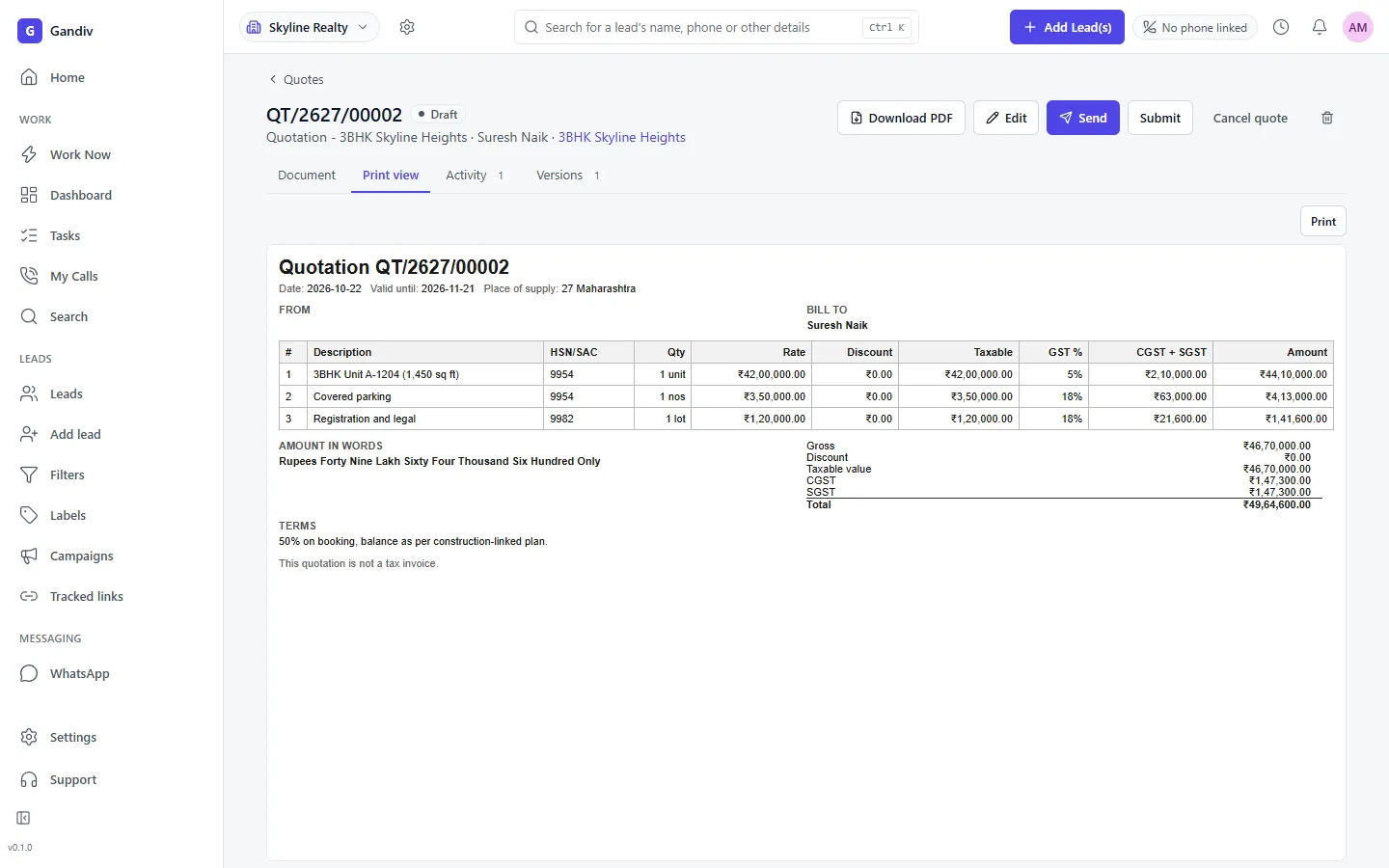
Payments received are matched to leads, quotes and invoices automatically. Failed, expired and refunded payments are flagged. Finance can export a statement for the month and hand it to the accountant, with GST details taken from the linked invoice.
- Failed and refunded flagged
- Linked to invoices
- Monthly export
Reconcile
- Failed and refunded flagged
- Linked to invoices
- Monthly export
Collection view
Know what is collected and what is pending
Dashboards show amount collected today, this month, by agent and by product, along with pending links and overdue instalments. Managers can see which agent converts links into money, not just which agent sent the most.
- Collected by agent
- Pending links list
- Overdue instalments
Collection view
- Collected by agent
- Pending links list
- Overdue instalments
How it works
- 1
Connect Razorpay
Add your Razorpay keys in settings; they are stored encrypted and never shown in the browser.
- 2
Send a link
Create a link from a lead or let a workflow send it when a deal reaches a stage.
- 3
Track the payment
Watch status update, receipts go out and the next stage trigger fire automatically.
Frequently asked questions
Which payment gateway do you use?
Razorpay payment links are supported today. You use your own Razorpay account, so settlements and fees are between you and Razorpay.
Does Gandiv hold my money?
No. Customers pay through the gateway and the amount settles to your bank account under your gateway's schedule.
Can I take part payments?
Yes. You can create an instalment schedule with one link and one reminder per due date, and see the outstanding balance on the lead.
Will the receipt carry GST details?
Receipts and invoices use the GST details and numbering you configure for your business. Please confirm tax treatment with your accountant.
What if a customer says they paid but the link shows pending?
You can mark an offline payment manually with a reference and note, and the change is recorded in the audit log.
See Gandiv on your own leads
Start free, or book a short demo and we will set it up with your pipeline.