For telecallers
A CRM that tells a telecaller who to call next
Open the app, start at the top of the Work Now queue, call, pick a disposition and move on. Gandiv keeps the notes, the follow-up and the WhatsApp message ready so you spend your time talking.
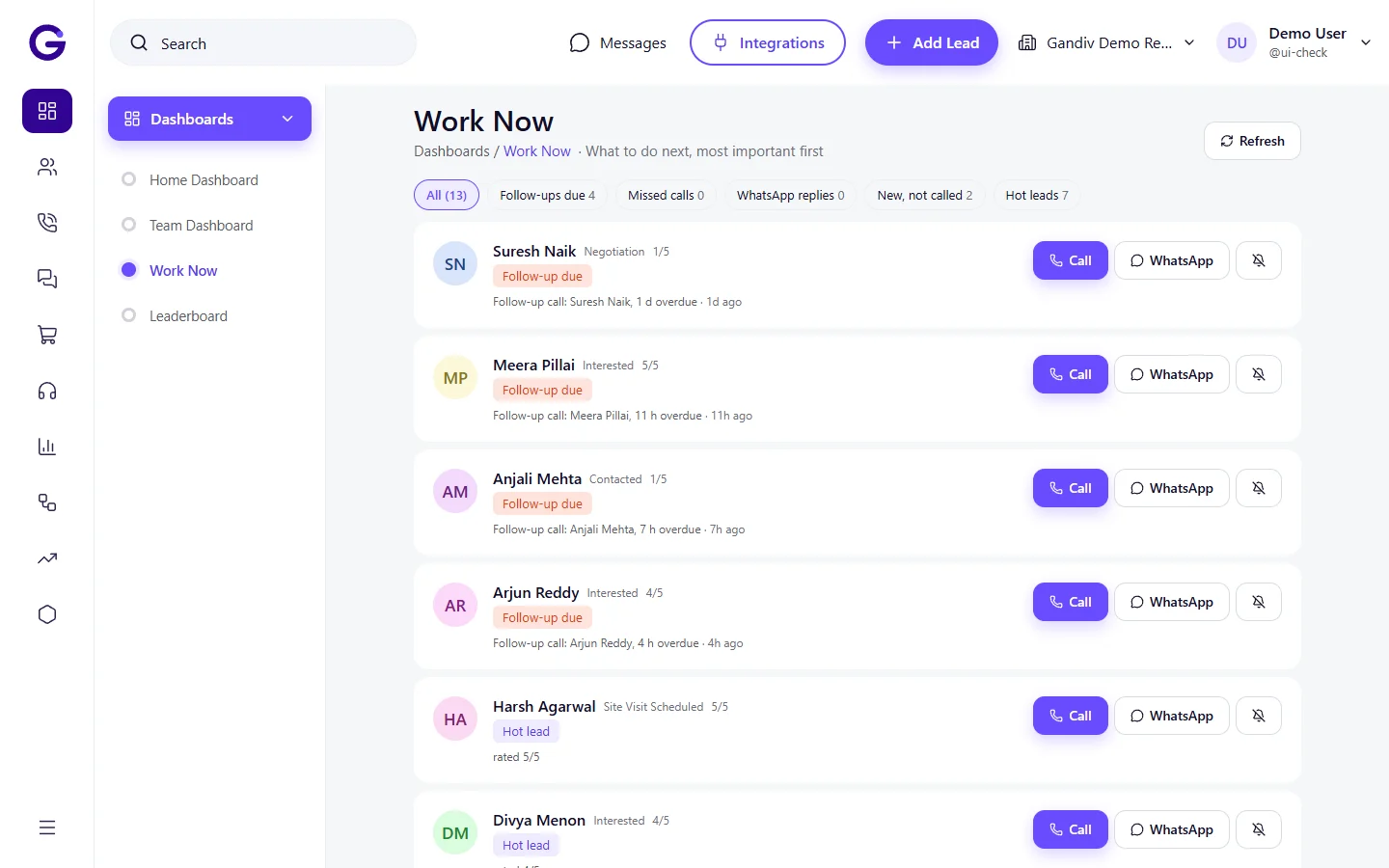
What the day looks like
Start of shift
Open Work Now
New leads, overdue follow-ups and promised callbacks sit in one ranked list. No sheet to sort.
On the call
Call from the lead
Tap to call. The call is logged on the lead, and do-not-call leads are blocked so you never dial one by mistake.
After the call
Check the AI draft
The AI proposes the disposition and drafts the follow-up message. You correct it if needed and save.
Follow-up
Send on WhatsApp
Reply from the same lead page, or set a reminder for the callback time you agreed.
What helps you most
Less typing after calls
AI suggests the disposition and a follow-up draft; you review instead of writing.
Never lose a callback
Follow-ups you promised show up in Work Now when they are due.
Call and chat in one place
Calls, WhatsApp and notes sit on one lead timeline.
A phone app in Hindi
The Android app is available in Hindi.
Features to look at first
Auto and power dialer
Dial your list one-click or automatically, and log every outcome in seconds.
Follow-up reminders
Every next step has a date, an alert and an owner, so no follow-up is forgotten.
Click-to-call
Call any lead from any screen, logged automatically, with no dialing by hand.
Sales forms and call scripts
Guide each call with a script, capture answers in a form, and force the right disposition.
Frequently asked questions
Do I need to learn a complicated system?
The daily routine is three steps: open Work Now, call, save the outcome. Managers can set which fields you must fill.
Can I use it on my phone?
Yes. There is an Android app, available in Hindi. See the mobile app page for the download and install steps.
What if a customer asked not to be called?
Mark the lead do-not-call. It shows a badge, and calling and the dialer are blocked for that lead.
See Gandiv on your own leads
Start free, or book a short demo and we will set it up with your pipeline.