Android app
Gandiv in your pocket, in Hindi or English
Call leads from your SIM, see who to contact next in Work Now, and have every call logged on the lead. Android only for now.
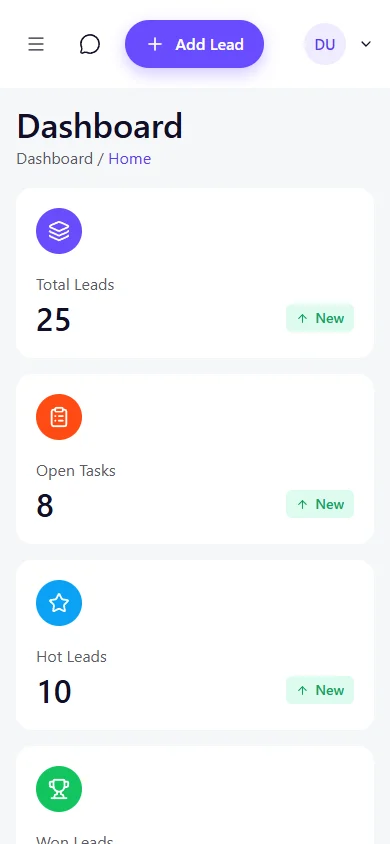
What the app does
Calling from your SIM
Call a lead in one tap. Call state and the call log are read on the phone and attached to the lead.
Work Now and follow-ups
Start from the ranked list of who to contact next and set the next follow-up after each call.
On-call overlay
An overlay shows which lead you are speaking to while the call is on.
SIM-by-SIM control
Every SIM defaults to Don't sync. Nothing is synced until it is turned on for that SIM.
Recordings
Where the phone makes recordings, the app can match them to the call and upload them to the lead.
Hindi and English
The app is available in Hindi as well as English.
Install on Android, step by step
- 1
Download the APK
Open this page on your Android phone and tap Download APK. The file is saved in your Downloads folder.
- 2
Allow installs from this source
Android blocks apps from outside the Play Store by default. When the install prompt appears, tap Settings and switch on Allow from this source for your browser or file manager. On older Android versions, open Settings, Security, and turn on Unknown sources.
- 3
Install
Open the downloaded file and tap Install. If Play Protect asks for a scan, you can let it scan the app.
- 4
Sign in and give permissions
Open Gandiv, sign in with your workspace login and read the permission screen. Calling and call-log permissions are asked only after a short explanation.
- 5
Turn the setting back off
After installing, go back to Settings and switch Allow from this source off again for that browser or file manager.
Direct link: https://setusuite.com/download/gandiv.apk
Frequently asked questions
Is the app on the Play Store?
Not at the moment. You install it from the APK on this page. Only download it from this site.
Is there an iPhone app?
Not for calling. The app is built for Android, because call state and the call log need Android permissions. iPhone users can use the web app in the browser.
Does the app record or upload my personal calls?
Every SIM starts as Don't sync, so nothing is synced until you or your admin turns it on for that SIM. The permission screen explains each permission before Android asks for it.
Can I use it in Hindi?
Yes. The app is available in Hindi and English.
Who can sign in?
Anyone invited to a Gandiv workspace. Ask your admin to add you, or create a workspace on the sign-up page.
Need help installing?
Call or WhatsApp us and we will walk you through it.