Grow and run
IndiaMART, Justdial, 99acres - one inbox
Stop logging into five portals to find enquiries. Gandiv pulls every portal lead into one list, removes duplicates and starts a response timer so no paid enquiry goes cold.
5 portals
IndiaMART, Justdial, 99acres, MagicBricks and TradeIndia connectors
Auto dedupe
Same buyer from two portals merges into one lead
Response timer
Clock starts on arrival, breaches alert the manager
One inbox
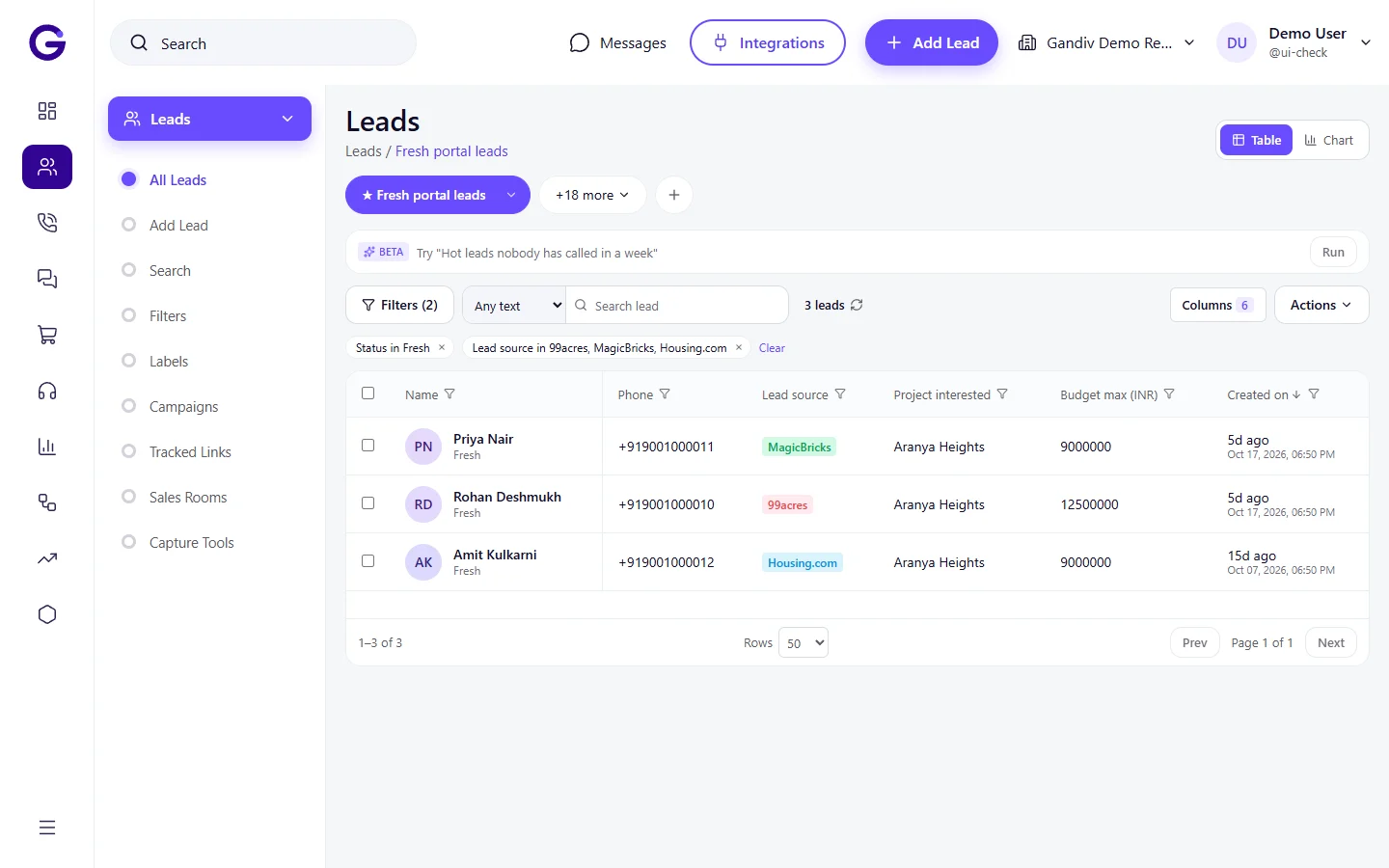
Every portal enquiry in one list
Enquiries from IndiaMART, Justdial, 99acres, MagicBricks and TradeIndia appear in a single lead list, tagged with portal and listing. Sales teams work one queue instead of five dashboards, and managers see which portal is actually bringing conversations.
- Portal and listing tagged
- One queue for all agents
- Filter by source
Setup
Connect each portal with its own key
Each portal has its own way to share leads. For IndiaMART you paste the CRM key from your seller account; for others you add the webhook or API details the portal gives you. Setup guides walk through every step, and a test lead confirms it works.
- Step-by-step guide per portal
- Test lead before go-live
- Connection health shown
Setup
- Step-by-step guide per portal
- Test lead before go-live
- Connection health shown
Dedupe
One buyer, one lead
A buyer often enquires on two portals for the same product. Gandiv matches on phone and email, merges them and keeps both enquiry details on the timeline. The assigned agent calls once with the full picture instead of two agents calling the same person.
- Phone and email match
- Both enquiries kept
- Existing owner preserved
Dedupe
- Phone and email match
- Both enquiries kept
- Existing owner preserved
Response timer
Beat the other sellers to the call
Portal buyers send the same enquiry to many sellers, so speed decides. A timer starts when the lead arrives and shows on the agent's screen. If the first call is not made in your set minutes, the lead is reassigned and the manager is alerted.
- Timer visible to agent
- Auto-reassign on breach
- Manager alert
Response timer
- Timer visible to agent
- Auto-reassign on breach
- Manager alert
Smart routing
Right agent by product, city or language
Portal leads follow your distribution rules. Send hindi-speaking buyers to one team, a city to a local branch, or a product category to a specialist. Round-robin keeps load fair, and leave or offline status is respected automatically.
- Rules by product and city
- Language-based assignment
- Offline agents skipped
Smart routing
- Rules by product and city
- Language-based assignment
- Offline agents skipped
Portal ROI
See which listing pays back
Connect leads to quotes and won deals and the report shows cost per lead and revenue per portal, so you can decide where to renew a paid plan and where to stop. Every source is compared on the same screen using your own numbers.
- Won revenue per portal
- Cost per lead input
- Compare renewal value
Portal ROI
- Won revenue per portal
- Cost per lead input
- Compare renewal value
How it works
- 1
Choose the portals
Pick the portals you pay for and open the setup guide of each.
- 2
Paste the keys
Add the CRM key, webhook or API details from your portal account and send a test lead.
- 3
Set rules and timer
Choose who gets which leads and how many minutes the first call may take.
Works with
Frequently asked questions
Which portals are supported?
IndiaMART, Justdial, 99acres, MagicBricks and TradeIndia have connectors. Other portals that can send leads by webhook, email parsing or Google Sheets can be added through those routes.
Do I need to pay extra to the portal for the connection?
That depends on the portal and your plan with it. Some portals give lead-push access only with certain subscriptions. Check with your portal account manager.
Are old portal leads imported?
Where the portal exposes history, we can fetch recent leads. Otherwise you can import an exported file from the portal into Gandiv.
What happens if two portals send the same buyer?
They are merged into one lead based on phone and email, and both enquiries are kept on the timeline.
Can I stop leads that are junk?
You can set rules to tag or route low-quality enquiries, and AI scoring can mark junk after the first call, so your best agents spend time on serious buyers.
See Gandiv on your own leads
Start free, or book a short demo and we will set it up with your pipeline.