Talk
WhatsApp Business API: broadcast, inbox and bot
Use Meta's official API through Gandiv for a shared team inbox, approved templates, opt-in broadcasts and simple bots. It is the compliant way to message at scale.
3 steps
to connect
Team inbox
shared across agents
Official
Meta Cloud API route
3-step setup
Connect in three guided steps
Log in with your Meta business account, choose or add a phone number, and verify it. Gandiv walks you through each screen and shows what is pending, so you are not guessing why a number is not live yet.
- Meta login and number pick
- Verification status shown
- Display name guidance
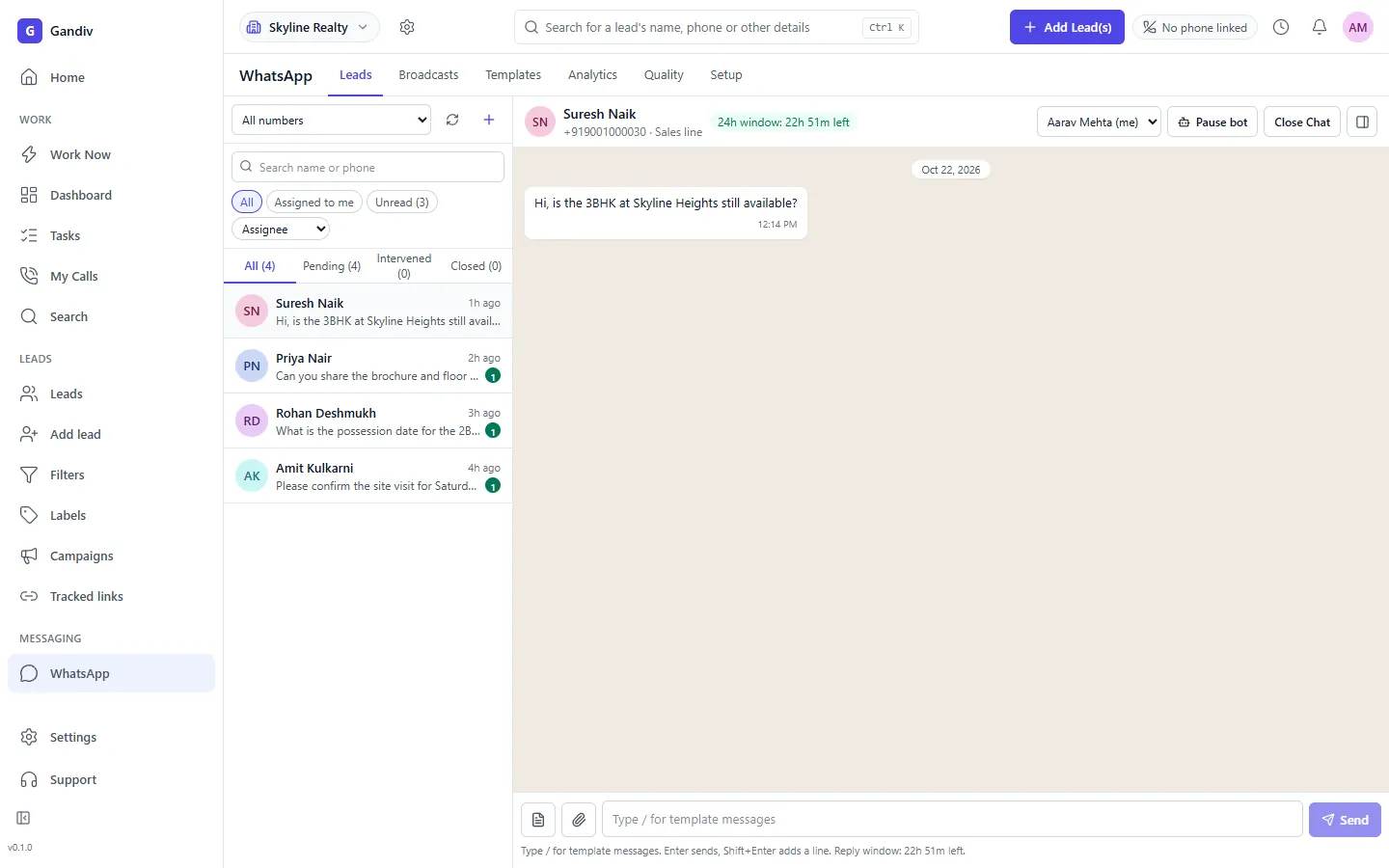
Team inbox
One inbox, many agents
Customer messages arrive in a shared inbox, assigned to the lead owner or a queue. Agents reply from the CRM with the lead beside them, and managers see waiting times and unassigned chats at a glance.
- Assign and transfer chats
- Lead context beside chat
- Waiting-time alerts
Team inbox
- Assign and transfer chats
- Lead context beside chat
- Waiting-time alerts
Template status
Create templates and track approval
Write message templates for confirmations, reminders and offers, submit them to Meta, and watch the status change to approved or rejected, with the reason shown. Approved templates can be sent at any time, with variables from lead fields.
- Submit from the CRM
- Approved, pending, rejected
- Variables from lead fields
Template status
- Submit from the CRM
- Approved, pending, rejected
- Variables from lead fields
Opt-in broadcast
Broadcast only to people who agreed
Pick a segment, choose an approved template and schedule the send. Gandiv tracks opt-in and opt-out, excludes those who declined, and reports delivered, read and replied, so campaigns respect the rules and show results.
- Segments from lead filters
- Opt-out respected
- Delivered, read, replied
Opt-in broadcast
- Segments from lead filters
- Opt-out respected
- Delivered, read, replied
Bots and Flows
Handle first questions automatically
Build simple bots that greet, ask for budget or location, and hand over to an agent when done. WhatsApp Flows add in-chat forms for bookings and details, and answers save to lead fields without anyone typing.
- Greeting and qualification bot
- Flows forms in chat
- Human handover
Bots and Flows
- Greeting and qualification bot
- Flows forms in chat
- Human handover
Meta fee note
Meta's conversation charges pass through
Meta bills conversation fees by category, such as marketing, utility and service. Gandiv passes these through at cost with no markup, and shows usage so you can see what each campaign spent before the invoice arrives.
- Meta fees at cost
- Usage view by category
- Spend alerts
Meta fee note
- Meta fees at cost
- Usage view by category
- Spend alerts
How it works
- 1
Connect Meta
Sign in, add your number and complete verification.
- 2
Get templates approved
Submit templates and wait for Meta's approval, usually within a day.
- 3
Chat and broadcast
Reply in the team inbox and send opt-in campaigns.
Used in these industries
Related features
Frequently asked questions
What does the WhatsApp Business API cost?
Gandiv's plan covers the platform. Meta charges per conversation by category, and we pass those fees through at cost, so you pay Meta's rate for what you send.
How long does template approval take?
Often within hours to a day, but Meta decides. Rejected templates show the reason so you can edit and resubmit.
Can I message anyone from the API?
Only people who have opted in for business-initiated messages. Replies inside the service window are free-form, while outside it you need an approved template.
Can I keep using the WhatsApp app on the same number?
That depends on Meta's current rules for the number. Many teams use a fresh number for the API; check the setup screen for current options.
Is there a limit on messages per day?
Meta applies messaging limits that grow with quality and volume. We show your current tier in the account.
See Gandiv on your own leads
Start free, or book a short demo and we will set it up with your pipeline.